YoodaAI desktop appNew
The interview copilot that sits on top of your call and out of the screen share.
Live answers to every question, coding questions on your screen solved with one shortcut, and a window that stays out of screen sharing with privacy mode. For macOS and Windows.
Released October 12, 2026 · Updated continuously · Version 0.2.1
Free download · Uses your YoodaAI live credits
Live answers
Hears the question. Answers before the pause gets long.
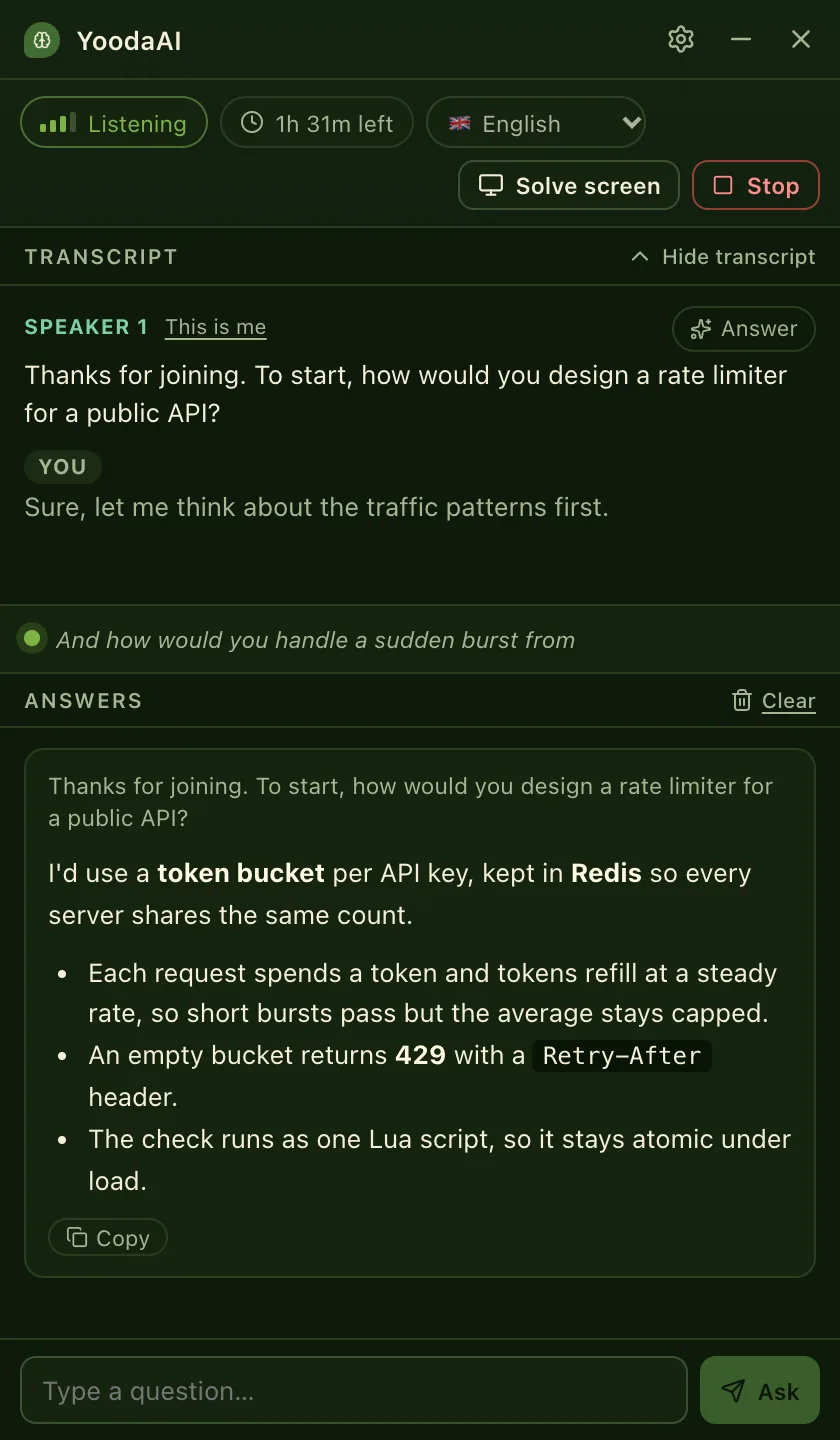
YoodaAI listens to the meeting audio, writes down what the interviewer says and drafts a short answer as soon as they stop talking. Follow-up questions build on what was already said.
- Meeting audio from your computer, or a microphone for in-person interviews
- 12 interview languages, from English and Turkish to Japanese
- ⌘⇧Enter answers the last question right away
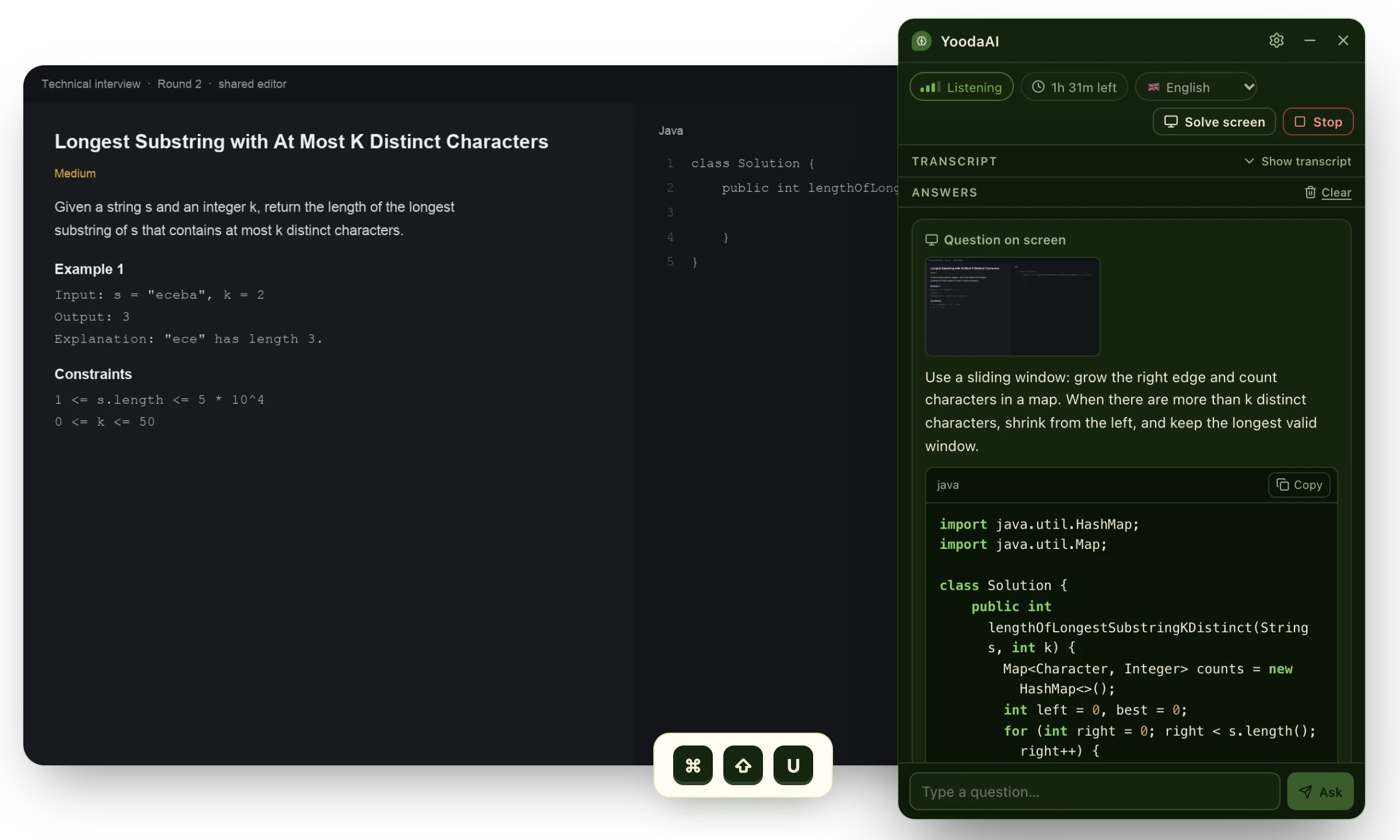
Solve screen
A coding question on screen? Press ⌘⇧U.
YoodaAI reads the screen your mouse is on and writes the approach in a few sentences, a complete solution that keeps the function signature, and the time and space complexity, in the language of your editor.
- Practice sites, shared editors, take-home tasks: any coding screen
- SQL, multiple-choice and written questions too
- The explanation in your language, the code in English
Ctrl+Shift+U on Windows. Check the code before you use it: like any AI, it can be wrong.
Privacy mode
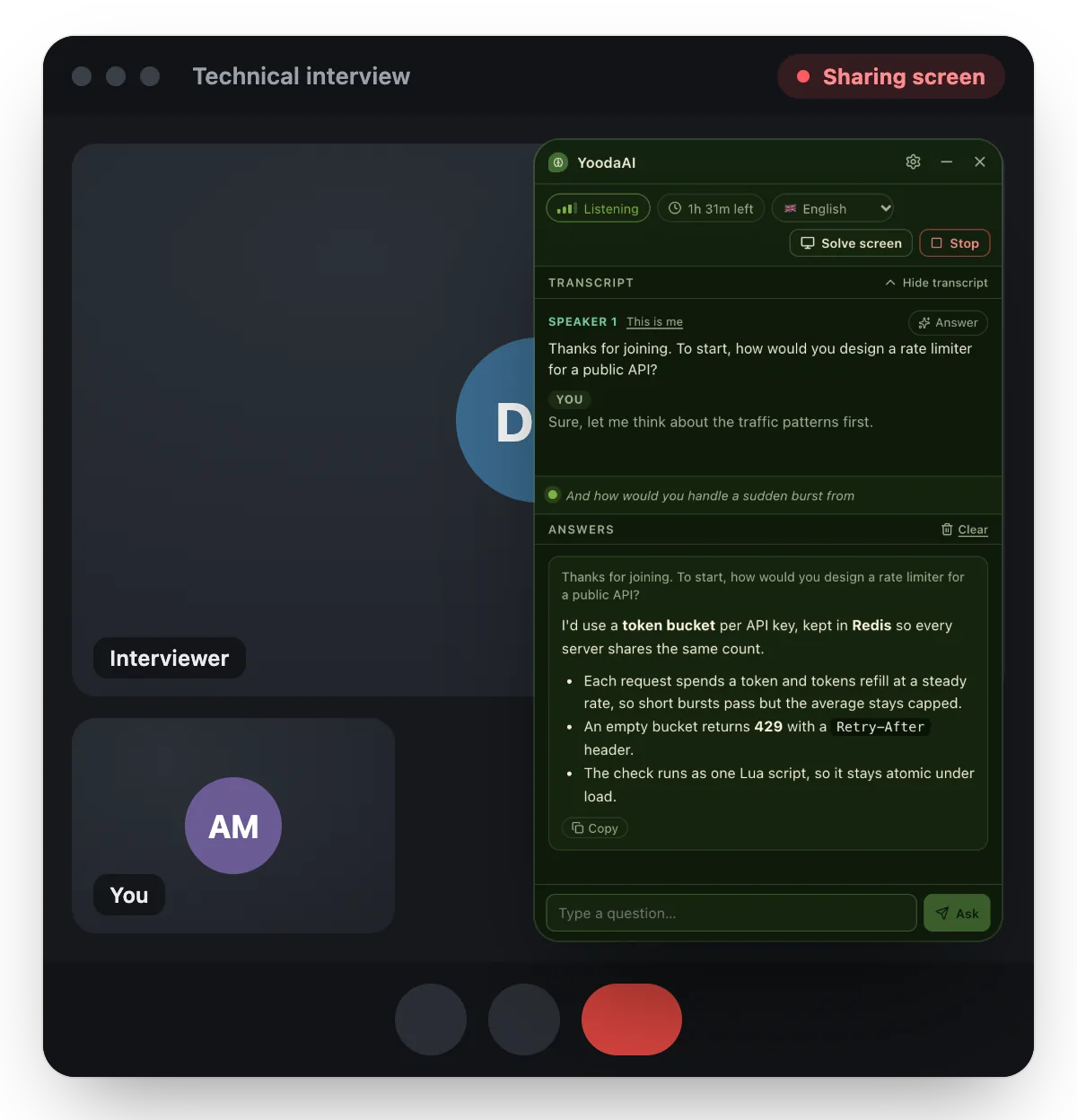
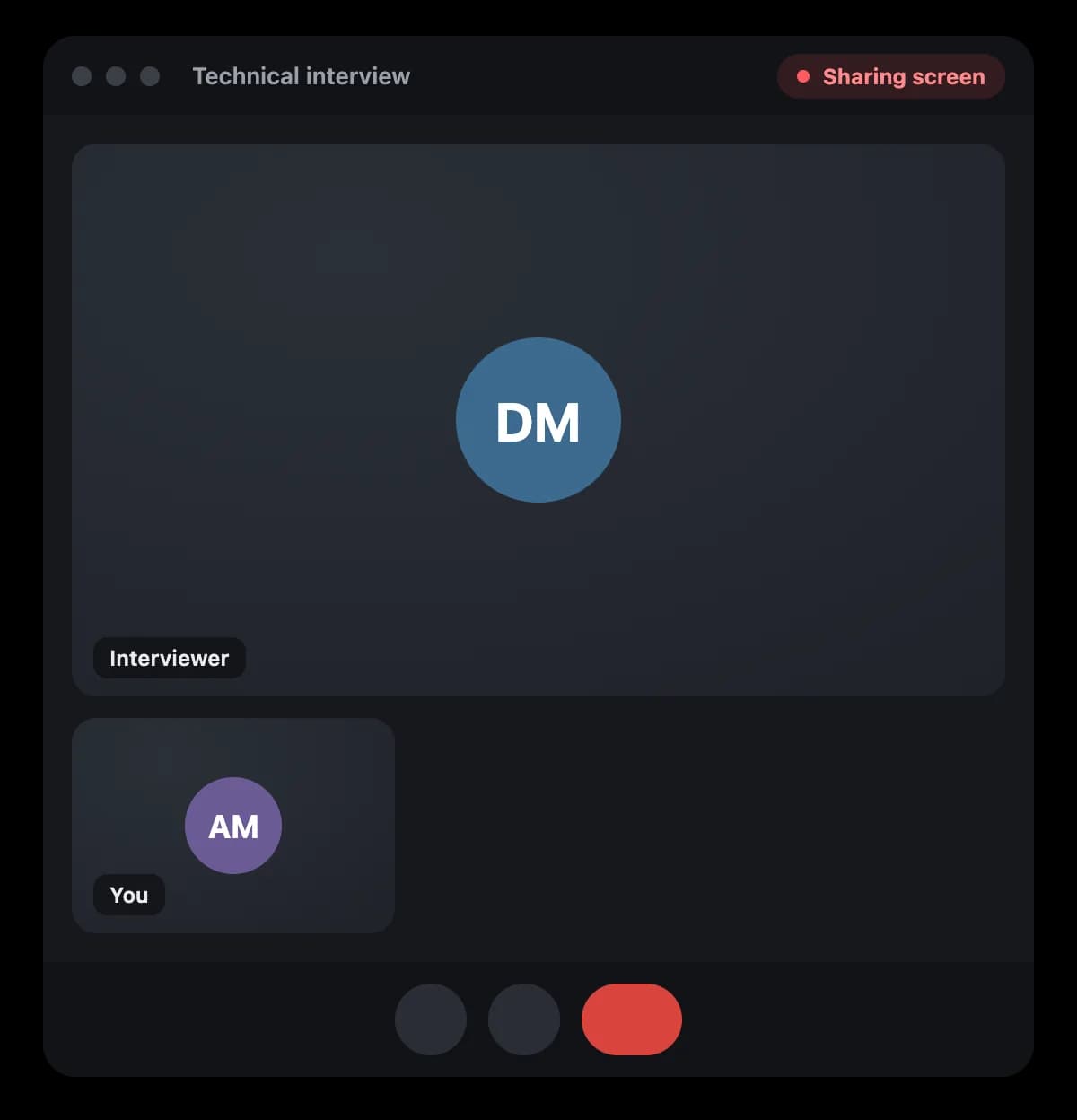
On your screen. Not in the screen share.
With privacy mode on, the window is left out of screen sharing and screenshots, so the interviewer sees your screen without it. It is on from the first launch.
Privacy mode uses your operating system's content protection. Some recording tools on macOS can ignore it, so do a quick test share before an important interview.
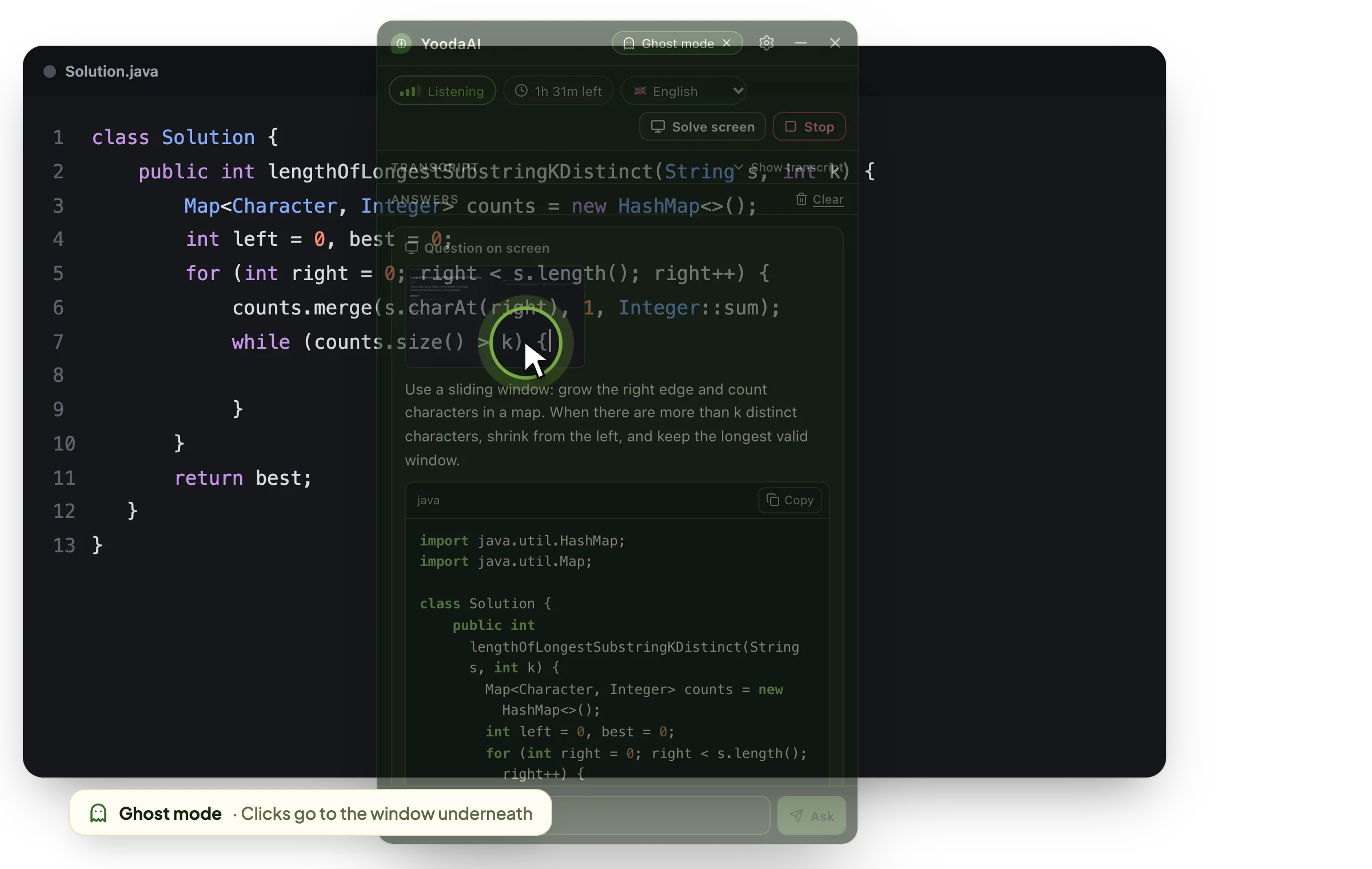
Ghost mode
See the answer, keep typing underneath.
Ghost mode makes the window click-through: your clicks go to the editor or the meeting behind it, while the answer stays in view. The title bar stays clickable, so you can switch it off any time.
- Always on top, even over full-screen meetings
- Adjustable opacity and text size
- Hide the Dock icon on macOS; it waits in the menu bar or system tray
Shortcuts
Everything from the keyboard.
- Show or hide the window
- Answer the last question now
- Solve what's on screen
Use Ctrl instead of ⌘ on Windows and Linux. You can switch shortcuts off in Settings.
Get started
Set up in a few minutes.
- 1Download and installPick your installer below. On macOS, allow screen and system audio recording when asked.
- 2Sign inSign in with your YoodaAI account. Your browser opens once to confirm.
- 3Start listeningJoin the call and press Start listening. Answers appear as the interviewer asks.
FAQ
Desktop app questions
All downloads
Download YoodaAI for desktop
Always-on-top interview companion for macOS, Windows and Linux. Sign in with your YoodaAI account and use the same live credits as the web app.
Version 0.2.1
Windows
After installing, allow screen and system audio recording for YoodaAI Interview when macOS asks.
Prefer the browser?
Open Interview Assistant in the browser