ATS resume builder
Build a resume and see its ATS score as you type
YoodaAI lays your resume out the way applicant tracking systems read best, one plain column of real text, and scores it against 8 checks while you write. Building and scoring are free; each PDF download is 10 credits.
No card needed to build. The 3 templates download without an account.
Example ATS score
ATS score
75/100
6 of 8 checks passed
- Passed: Contact details
- Passed: Target job title
- Passed: Professional summary
- Passed: Work experience with dates
- Passed: Achievements as bullet points
- Still missing: Quantified resultsA number in at least one bullet, such as “cut load time by 40%”.
- Passed: Education
- Still missing: At least 5 skillsThe skills from the job posting that you genuinely have.
What is an ATS resume builder?
An ATS resume builder helps you write a resume that applicant tracking systems can read. YoodaAI's builder puts every resume in one column of real text under standard headings, checks the content against 8 points as you type, and turns it into a PDF for 10 credits.
An applicant tracking system, or ATS, is the software employers use to receive applications. It reads each resume into fields such as your name, job titles, dates and skills, so recruiters can search and sort candidates. Columns, tables, text inside images and unusual headings are the usual reasons a resume comes out garbled or with empty fields.
How does the ATS score work?
YoodaAI scores your resume out of 100 from 8 checks of equal weight, and the score changes as you type. It checks the content that parsers and recruiters look for. It is not a copy of any employer's system, and the format is already handled by the builder's layout.
- 1Contact detailsYour name, email and phone number.
- 2Target job titleThe title you are applying for, ideally as the posting writes it.
- 3Professional summaryAt least 80 characters: two or three sentences on who you are and what you do.
- 4Work experience with datesAt least one role with a company and a start date.
- 5Achievements as bullet pointsAt least two lines in one role. Each line becomes a bullet.
- 6Quantified resultsA number in at least one bullet, such as “cut load time by 40%”.
- 7EducationA degree or a school.
- 8At least 5 skillsThe skills from the job posting that you genuinely have.
What makes a resume ATS-friendly?
Six things: one main column, real text rather than images, standard section headings, a standard font, a date on every role, and the words the job posting uses. The layout of YoodaAI's PDF covers the first four, and its score checks for dates and at least 5 skills.
- One main column, no tablesA parser reads from top to bottom, so a sidebar or a table can run lines from different sections together.
- Real text, not imagesText inside a picture, such as a name set in a header graphic, can't be read at all.
- Standard section headings“Work experience” and “Education”, not “My journey”. Parsers look for the headings they know.
- A standard fontDecorative fonts can turn letters into the wrong characters when the text is pulled out.
- A date on every roleMissing or vague dates leave gaps that a recruiter has to ask about.
- The posting's own wordsRecruiters search by skill and job title, so use the posting's terms for the skills you really have.
Free ATS-friendly resume templates
YoodaAI has 3 free ATS-friendly resume templates, Classic, Modern and Structured, that download as PDFs without an account. Each keeps its sections in one main column under standard headings and comes filled with sample content, so you can see what goes where before you write your own.
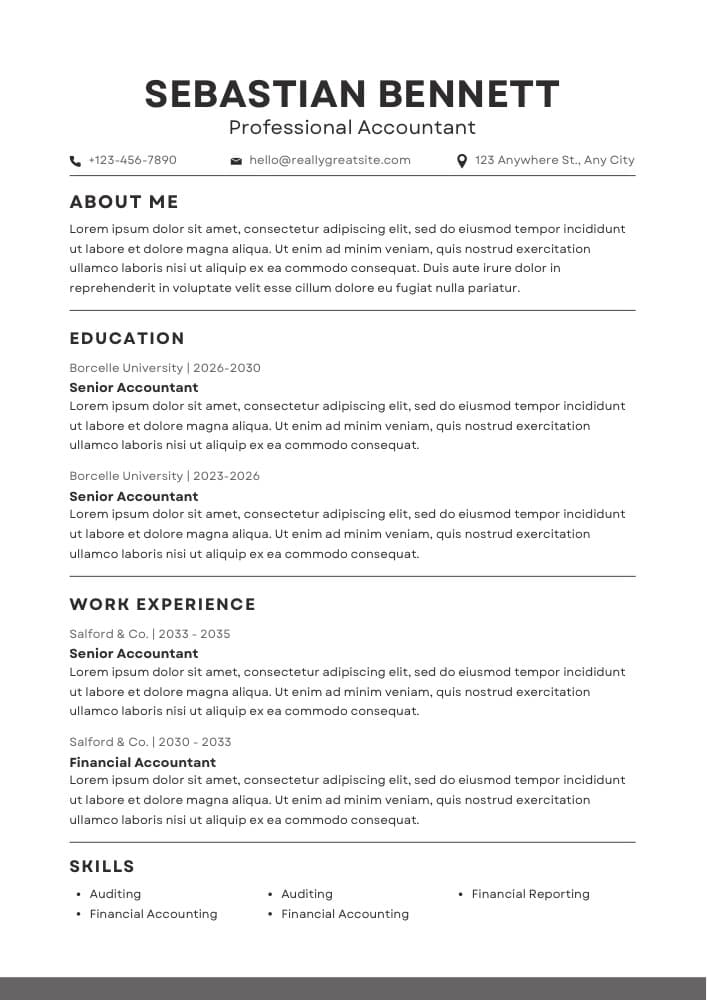
Classic
Centered header with ruled section dividers. The safest, most familiar layout a recruiter can read at a glance.
Finance, accounting, law & corporate roles
Download PDF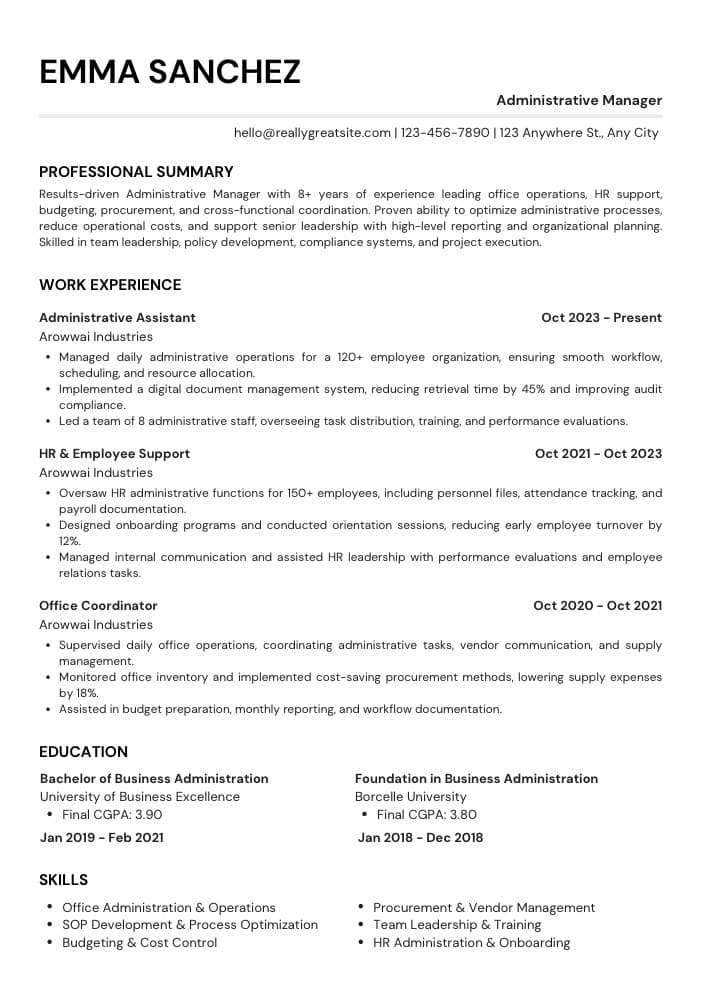
Modern
Left-aligned name with the job title on the right, and generous space for bullet-point achievements.
Tech, marketing, operations & startups
Download PDF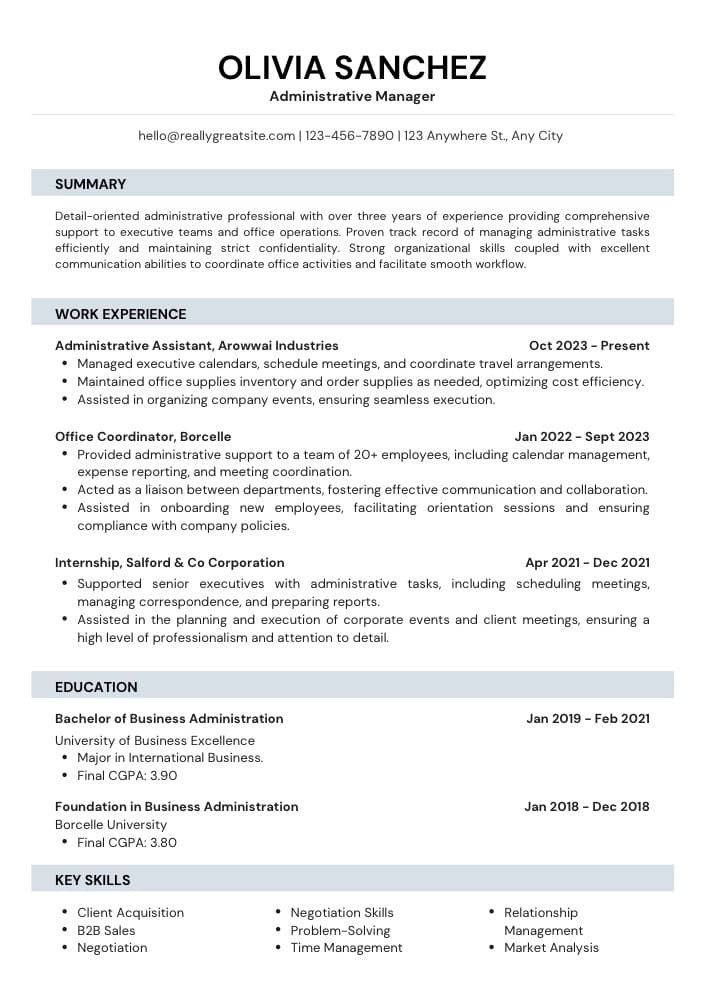
Structured
Banded section headers that guide the eye down the page while keeping the text in one clean column.
Admin, healthcare, education & career changers
Download PDFHow do you build a resume with YoodaAI?
Sign up, fill in your details, experience, education and skills, and download the PDF for 10 credits when the score is where you want it. YoodaAI saves the resume to your account, so you update it before each application instead of starting again.
- 1Sign up. Your name and email are filled in from your account.
- 2Add your job title, phone, location and links, then a summary of two or three sentences.
- 3Add each role, most recent first, with its dates. Write one achievement per line and each line becomes a bullet.
- 4Add your education, skills and projects. The score and the live preview change as you type.
- 5Save, then download the PDF. Each download is 10 credits, so download once the resume is ready.
How much does the ATS resume builder cost?
Building a resume and checking its ATS score are free, and so are the 3 templates. Each PDF download from the builder is 10 credits, which comes to $0.83–$1.67 depending on the pack. YoodaAI has no subscription, and credits never expire.
The same credits pay for live interview help, mock interviews and job applications, so nothing is locked to one tool.
See all pricesWhat can you do with the resume next?
Practise with it and send it. YoodaAI's mock interviews can draw their questions from the resume you saved, and the PDF can be the CV our team sends when it applies to jobs for you, at 3 credits per application.
FAQ
ATS resume builder FAQ
Build the resume, then practise the interview.
Building and scoring a resume are free, and so is your first mock interview. No card needed.
Build my resume